
EXPLORE THE TOOLS
See what you can do.
Real examples from the Maps workspace. Open the details when you want a closer look.
YOUR UTILITY NETWORK
See the assets.
Understand the system.
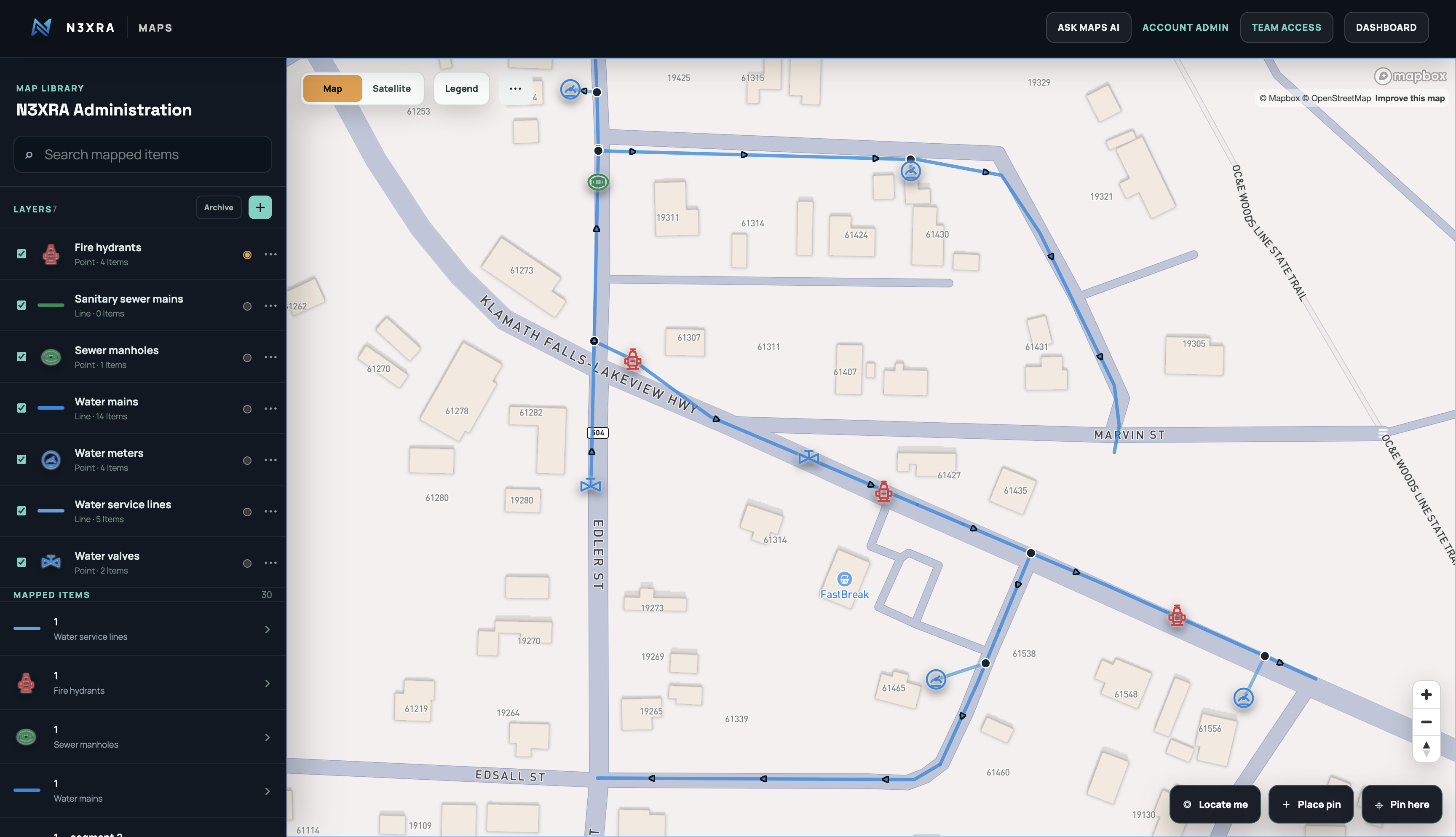
Bring mains, valves, meters and hydrants into one map, organized in layers your team can search and explore.
What’s included
Draw infrastructure, add asset details and save connections between pipes and equipment. Switch between street and satellite views, control layer visibility and distinguish connected junctions from lines that simply cross.
EVERYDAY ASSET MANAGEMENT
One asset.
Its whole working record.
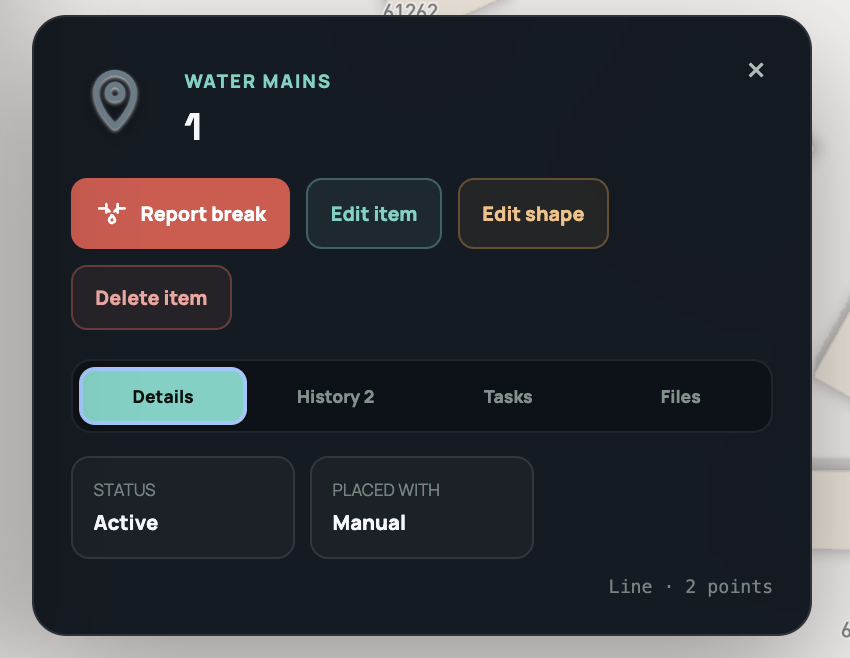
Open an item to find its details, maintenance tasks, photos and history—right where the work happens.
Look inside the record
Record inspections, assign follow-up work and attach supporting files. Keep measurements, maintenance and corrections connected to the asset so the next crew can pick up where you left off.
A CLOSER LOOK
More tools. Less digging.
Choose a capability to see the details.
Build your map
- Points, lines & boundaries
- Place equipment, draw pipe routes and outline areas. Edit asset locations and line geometry as your records improve.
- Utility layer presets
- Start with water, sewer and stormwater presets, recognizable symbols and suggested fields—or create a custom layer.
- Your asset details
- Record diameter, material, installation dates and other attributes with text, numbers, dates, choices and required fields.
- Search & visibility
- Find mapped items by search, switch layers on or off, and use the legend to read the map. Choose street or satellite backgrounds.
Understand connections
- Connected infrastructure
- Connect mains, service lines, meters and hydrants. Snap connected equipment to its line instead of leaving it floating beside the pipe.
- Crossings & junctions
- Show connected junctions differently from unconnected crossings. Review saved connections rather than assuming every crossing is a connection.
- Valve position & impact
- Record open, closed, partial or unknown positions. See status indicators and a potential-impact overlay without opening each valve.
- Supply-aware tracing
- Model external supply entries and alternate connections. Impact estimates depend on the mapped network, valve records and verified supply information—not arrows alone.
- Inline valves
- Place a valve on a pipe to create a shutoff boundary. Removing an eligible inserted valve rejoins matching sections; changed sections and active-break conflicts require review.
Respond to a break
- An exact break location
- Report a break at a specific point on a water main. The incident stays linked to the asset without treating the entire line as the break location.
- Isolation planning
- Review mapped boundary valves, potential affected pipe sections and connected meter counts. Warnings flag incomplete network information.
- Field updates
- Add timestamped notes, repair progress and valve actions to the same incident. Record field verification before confirming isolation.
- Resolution & past breaks
- Save the final repair summary and testing details, then revisit the resolved break and its location from history.
- Protected records, controlled deletion
- Submitted records use corrections rather than silent edits. Account admins can explicitly delete a break and its associated history after a permanent-delete warning.
Work in the field
- Device location
- Locate yourself, see reported location accuracy and measure your distance to an asset. Location permission and device accuracy affect the result.
- Built-in driving navigation
- Get a route to a mapped asset, follow step instructions and use live location guidance with optional voice. Keep the page open and follow road conditions.
- Photos & linked files
- Attach evidence and supporting documents to assets, with organization file links keeping the material associated with your records.
- Touch-friendly selection
- Larger map-selection targets and responsive panels help crews select small features on a phone. An internet connection is required.
Keep the record
- Maintenance & inspection tasks
- Create asset-linked work with a category, priority, due date and assignee. Track progress and completion.
- Operational history
- Record findings, measurements, maintenance and follow-up. Submitted entries retain their original content and support amendments.
- Print / save as PDF
- Prepare the visible map with a title, date, legend, scale, north indicator and attribution. Print or save a PDF through the browser.
- Organization access
- Use organization-based Maps roles for administrators, editors and viewers. Archive items and layers; permanent deletion is restricted to admins.
The connected platform
Maps shares N3XRA organization access and linked records. Customer and service-request references lay the groundwork for deeper account, meter-reading, billing and communications connections. These Maps integrations are not all available today. Water-network workflows lead the way, with room for other utilities as the platform grows.